Theme Updated - 2nd October, 2010 (Reflection-Mod 1.2.1)
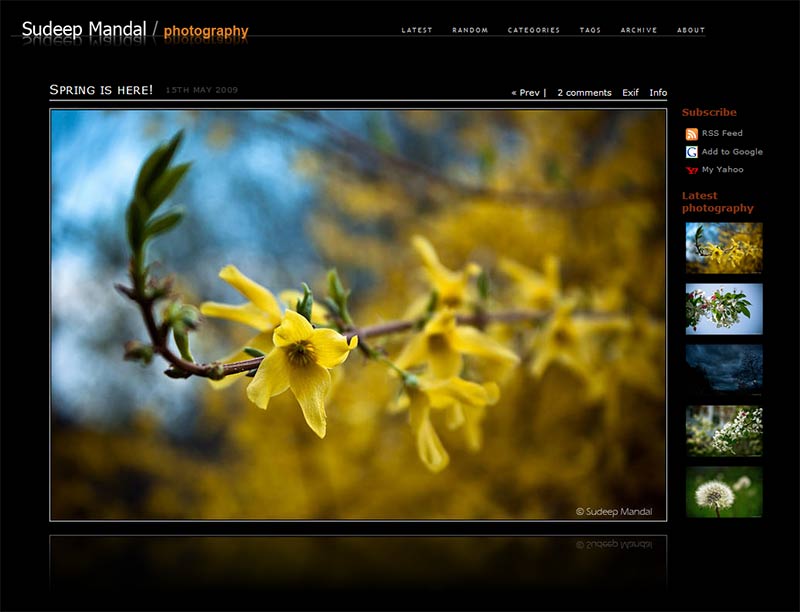

Reflection-Mod v 1.2.1 Photoblog Theme for WordPress : Demo
Reflection-Mod Logo for Header (Photoshop PSD File)
Reflection by David Moxey is a beautiful WordPress theme for photoblogs which utilizes Johannes Jarolim's excellent wordpress plugin, Yet Another PhotoBlog Plugin (YAPB). Reflection-Mod is my modification to the original Reflection theme to enable Category and Tag functionality and a host of other enhancements both in appearance and functionality. These include a number of slick Javascript slider animations that help unclutter the look of the site while still having all the relevant information/links easily accessible. I have listed the features of this theme below. For a detailed description of all the changes made to my theme since it's original release, please check the Reflection-Mod Changelog. The best way to see the differences is to visit my Reflection-Mod Photoblog for a Demo. Also, be sure to check out my new theme - Refractal. This theme is meant to compliment Reflection-Mod as a similar looking theme for your regular blogging purposes.
If you'd like to see a good example of Reflection-Mod integrated with Refractal to form a complete blog+photoblog, check out Markus Hellmold's new site featuring a tight integration between both themes:
Xtropolis (WARNING: Some photographs have adult content, so it isn't a work safe site)
Changes in Latest Reflection-Mod (1.2.1) (October 2nd, 2010)
- PHP 5.3 compatible: Thanks to Qlawy for a modified version of reflection-mod that got rid of some unsupported code. This should fix issues people were having with reflection-mod spitting out some weird code.
- Better SEO support with title and alt tags for improved SERPS - Thanks to Harry on the forums
Changes in Reflection-Mod 1.2 (January 31, 2010)
- Lightbox (SlimBox) effects can be enabled for Category/Tag archive galleries: New in version 1.2 is an option in the admin panel to enable a lightbox effect for quickly browsing through images in your category/tag archives.

- Disable/Enable automatic display of Shot Info (Post Text) with Photoblog Image: Admin panel option to enable or disable the automatic display of your Shot Info/Post text along with the photoblog image. Gives you this option depending on whether the image is of utmost importance or whether you prefer to display both the text and image as a single combined entity.
- Enable/Disable EXIF link in Photoblog
- Latest Theme Version Box in Admin Panel: The theme admin panel now displays the latest available version of Reflection-Mod with a link to the download page. Now you will always know if you have the latest version of the theme without having to actively check my site.
Features
- Implemented a multi-level CSS drop down menu: capable of displaying multiple levels of pages in the navbar.

- Improved compatibility with older versions of PHP: Introduced an option in the Admin panel to turn of AJAX browsing of images which should make the theme compatible with practically all webhosts and PHP versions. Also includes JSON encoding for better PHP compatibility
- Ability to change image quality: Implemented an admin menu option enabling the user to specify the image quality of images. Higher quality images will take longer to download. Can be optimized for a given webhost's speed/performance.
- Support for a lower navbar: Make a separate unordered list in header.php with an id of "navbar2" to create a second set of hard coded links in the lower row of the navbar. Can be useful for integrating the photoblog with a regular text-blog running the Refractal theme.

- Support for Category and Tag listings. When browsing images in a category, Prev/Next image links allow you to browse single images within the same category. I think this is a key feature missing in almost all WordPress photoblog themes (Even Pixelpost). Note: You need fancy permalinks enabled in WordPress for this to work. If you have the default permalink structure, in-category browsing will not work.
- Widget ready sidebar (can be disabled): While I prefer to have a completely uncluttered look, I have enabled it to show how it looks. You can use any widget you like.
- Random images hyperlink now displays a slick slider that pops down with 7 thumbnails of random images from your archive. This allows the user to select an interesting image out of an assortment of random images.

- Neat slider animations (Javascript - MooTools 1.11) for the Category and Tags listings, Random image slider as well as dynamically loaded comments.
- AJAX effects are persistent throughout the browsing process. In the original theme, clicking on Archives/Comments, etc would break the AJAX browsing mode and would switch to regular page loading.
- Robust Admin Menu with tons of options! Now you can control a host of options from the Admin menu such as Copyright Information, enabling/disabling tags, categories, sidebar, reflection-effect, header page listings, etc. This means you shouldn't have to meddle with the actual theme code to get the look you desire.
- Downloadable Photoshop Template for creating customized header logo for the theme.
- MOST IMPORTANTLY: A brand new, matching text-blog theme - Refractal - that can be used on your website for a separate WP installation for the regular Blog component of your site. The two themes, Reflection-Mod and Refractal look and feel the same so it allows you to integrate your regular blog and your photoblog under one common umbrella!
Installation
Before you install this theme, please make sure that:
- You have installed the Yet-Another-PhotoBlog plugin correctly and that it is working. Follow the instructions on the plugin webpage to install the plugin properly.
- Once YAPB is installed, go to the YAPB options section in the Administration section and make sure to disable all the automatic image insertion options for the plugin. If you fail to do so, YAPB will conflict with Reflection-Mod and things will behave very strangely.
- Like Reflection, this theme requires every post to contain a YAPB image. If you wish to have your own content (without an image) add it in pages and not posts.
Once you have done the above:
- Download Reflection-Mod 1.2 Photoblog theme for WordPress and unzip the contents of the file.
- You should now have a directory titled 'reflectionmod'. Copy this directory and all its contents into the wp-content/themes/ folder of your WordPress install.
- Once all the files have copied over, select Reflection-Mod from the Themes panel in the Administration section and activate it.
Customization
Creating your own Reflection-Mod Logo for the Header
This is one of the first things you probably want to change. (I presume that having your own photoblog under my name is not a very appealing option =) ). To make this process simpler for you, I've gone ahead and uploaded a Photoshop template for the logo. Download the Photoshop Template for the Reflection-Mod header and open it in Photoshop. The Layers in the file are labeled and you should be able to easily edit the text in the Title layer. Copy paste the same text into the reflection text layer to get your final logo. Of course, you can go crazy and make a much more creative logo if you feel like it :).
For those who don't have access to photoshop, it won't be as easy, but creating a logo is still simple. Just open up the logo.png file in /reflectionmod/images/ in GIMP (Opensource software equivalent of Photoshop). Use the eyedropper tool to pick the color of the 1pixel gray line, and create a new 1px line of that color on a new layer and position it over the line in the original logo.png image. Then follow a tutorial such as this one to create the reflection effect on your text. Finally save your image as logo.png and overwrite the default file in the /reflectionmod/images/ folder.
Creating Archive/Mosaic Page
If you wish to have a link in your Navbar titled Archive or Mosaic, which contains an array of thumbnails of images from all your posts (grouped by year), then create a new page and make sure to select the Mosaic Page Template instead of the Default template. Unless you want to have some text preceeding the thumbnail archive display, you can leave the body of the page empty. If you have the "Disable AutoPage Listing in NavBar?" option unchecked, the Navbar will automatically update to show a link to the Archive/Mosaic page. If you do choose to disable the AutoPage listing option, then you will need to go into header.php and manually enter the URL to the Archive page as an "a href" link in the Navbar unordered list.
Creating an About Page
Create a new page titled "About", but this time use the "Default Template" for the page. Enter whatever text you want (feel free to embed images too) and then save the page. As mentioned above, it will automatically show up in the Navbar if Autopage listing isn't disabled.
Other Theme Customizations
Most of the other admin options are fairly self explanatory. The first few options deal with the Copyright information that is listed in the footer.
The portrait image width and landscape image width refers to the maximum width the images should have when displayed. Keep in mind that the value in these boxes should not exceed 800 as it will break the theme. (The theme is coded to have a maximum image container size of 800 pixels). The default value is 800 for landscape images and 450 for portrait images.
Sidebar
By default, the Sidebar is disabled. When you first enable it, it will say something like "No Widget". You will need to add elements to the sidebar using the Widgets option in the dashboard. I am currently using the Subscribe Sidebar and the Yet-Another-Photo-Blog sidebar widget plugin on my photoblog. The latter is setup to display 5 recent thumbnails (100px width).
Permalink Structure for your PhotoBlog
I would strongly recommend that you use the fancy permalink structures for your photoblog. This will also enable in-category browsing of posts for this theme. The URL for your posts will look cleaner and the names are far more intuitive than a URL that looks like www.yourdomain.com/?p=XX . My favourite permalink structure for photoblogs is: /%category%/%postname%/ . Check the image below to see what your permalink settings should look like.

EXIF Data
To customize the Exif data that is displayed in the overlay panel, select Exif filtering in the YAPB options and select the different field values that you would like to have displayed.
Final Comments
Reflection 1.2 along with Refractal is a new update, and one that I wasn't planning on ever doing, but made possible thanks to feedback from users and encouragement from a good friend (we have come to become friends due to this theme) Markus. So if you like the theme, let me know! I don't expect everyone to donate but it really does help a lot to know that there are folks out there who find this theme useful and enjoying it :). Also if there are any features you'd love to see, let me know. I can't guarantee anything, but you never know!
Acknowledgements:
- The biggest thanks has to go to Dave Moxey for his Reflection theme. It has been a lot of fun learning PHP, basic Javascript, CSS and WordPress while I tried to modify his theme and I owe it all to him. I would never have started on this if I hadn't fallen in love with the original Reflection 1.0 theme to begin with. Once I started setting it up I got more into it and decided to mod it to my liking resulting in this theme.
- Johannes also deserves a huge thanks for his amazing Yet-Another-Photo-Blog Plugin for WordPress.
- A big thanks to www.w3schools.com and all the other great sites on the net with some amazing tutorials that made modding the theme possible for a PHP/JS/WP newbie such as myself.
I am sorry but this theme does not work for me. I have wp2.8 and the latest yapb 1.9.19? and I have disabled the automatic stuff in the plugin. Still no thumbnails/pictures gets generated. The images gets uploaded ok to /uploads, but not thumbnails it seems. Any clues? I guess it could be server issue/host issue?
@residum: as per my understanding of theme, if you remove the auto image insertion options from the plugin, it won’t work and in which case you need to write insertion code for images n thumbnails .. check this page: http://johannes.jarolim.com/blog/wordpress/yet-another-photoblog/adapting-templates/
@residium:
I’m not sure why it isn’t working for you. While what Mo states above is true, Reflection-Mod is already adapted so it should display images/thumbnails by default and you shouldn’t need to tweak the theme to do it. Just to double check, after turning off the auto stuff for YAPB, how are you uploading images to a post? Are you using the YAPB upload field in each post to upload a single image? I’m pretty sure that I’ve seen other people using the latest YAPB and WP 2.8 with Reflection-Mod without any issues.
@residium:
Regarding the thumbnails, they should be created on the fly. If they aren’t being generated then I think you might be right in that it is a server side issue with your hosting. Have you tried any other YAPB enabled template to see if it works? One of the popular ones is the Grain theme. If that doesn’t work either, then it would definitely be a YAPB/server issue.
Cheers
hii
can you suggest a way to not have reflection on the every image.. i tried removing the div from index file, but that breaks the navigation for prev/next buttons
thanks for the good work
cheers
Mo
Hi Mo,
I’ll have to look into that. It might not be as straightforward as the Javascript file used for dynamic image loading calls the reflection subroutine to update the reflection during browsing. Unfortunately I am a bit busy with other stuff at the moment but I’ll try to see if it is do-able. If possible I’ll update the theme to a new version with an option to disable the reflection effect.
Cheers
thanks Sudeep,
I’ll have a look too, n if thr is any update, will let u knw as well.. saw some people asking 4 it in reflections forum too
cheers
Hi Mo,
After thinking about it, the simplest solution would be to use the CSS display:none attribute to hide the div “reflectionholder”. Not the most efficient as it is still doing the work in the background but it is the easiest solution I can think of. I’ll try to update the theme with a newer version that has an option to enable/disable the reflection effect from the admin panel.
Cheers
Edit- See post below. Changes included in the new version of Reflection-Mod.
Lol, I just checked Dave’s forum and I noticed that he suggested the same solution a little earlier. I think it should work for his theme too. It definitely works on Reflection-Mod as I just tested it out on my photoblog.
New version of Reflection-Mod (1.0.2) is out guys :-). Added a checkbox in the Admin page to disable the Reflection effect in the theme. Let me know if it works for you.
Cheers.
thanks very much sudeep, works perfect 🙂 and i can still keep the reflection code thr for any future change
You’re welcome Mo :). Glad it works well. Happy Photoblogging!
Hello Sudeep
Thanks a lot for your stunning theme.
I’ve a question. There isn’t any possibility to manage a post without a YAPB image ?
I found on web some workaround but only installing two WP or by modifying some configuration files to merge two different themes.
So, I’ve decided to ask this to the creator 😉
Cheers and ciao,
Massimo
Massimo, Thanks a lot for your compliments. I’m glad you like the theme. Unfortunately the theme is designed so that each post is required to have a YAPB image associated with it. Because of the design of the theme (one image per page) it is hard to consolidate that with having individual posts interspersed in between that do not have any image associated with it. It might be possible to modify the theme to allow posts without thumbnails but it would require a considerable amount of work and code-rewriting/modification.
I think the best solution (if you do want to have the same theme/look for your site across the photoblog and regular blog sections) is to still use 2 separate WordPress installs, one for your photoblog and one for your regular blog/website. You would need to tweak Reflection-Mod theme or one of the default WordPress themes so that the look of the theme for your regular blog is also the same. This should actually be really straightforward as all you really need is a black background, and the header (easily copied from Reflection-Mod theme).
Check this site out:
http://www.terriblycreative.com/
It is exactly what I am describing. The person is using the Reflection theme (theme on which Reflection-Mod is based) and he got a friend to design the WordPress theme that looks similar. Check his regular blog by clicking on the “Blog” link. I think it is very well done. However it still uses two separate WordPress installs to achieve this.
Sorry I couldn’t be more helpful. Good luck!
Hi.
Thanks for your beautiful theme.
Can you tell me how to remove the comment and exif functions? I am new to WordPress and don’t know much about php or something like that :D.
Thanks so much
Hey Tuan,
I’ll have to take a look at it. It might be a little tricky since the javascript is used to refresh the data in these fields. I’ll try to get back in a couple of days.
Hi Tuan,
Turns out that it isn’t too hard to disable the comments and exif feature. Just find the following two lines in the file index.php (within your reflectionmod folder in wp-content/themes/) and delete them. Save the file and then clear out your browser cache/temporary internet files. Reload your photoblog and you should now only have the Prev|Next hyperlinks along with the Info hyperlink. Let me know if you have any trouble getting it to work.
Hi
I have checked that . If I remove that, the “info” function won’t work.
Good news: the “exif” function can be removed while the “info” function still works.
And I want to add audio effect to my site and a static post in my homepage, is it possible?
Thanks so much for your help.
Hi Tuan,
I’m not sure if the EXIF/Comments worked for you. Were you able to successfully remove them without affecting the functioning of the Info panel? As for getting audio to play on your site, check the link below:
http://wordpress.org/extend/plugins/search.php?q=audio
There are many plugins that could help you do that. I’m not sure how they work and if there would be any conflicts with the theme but you can try a few of them and see which one works the best for you.
As for the static post, the theme does not support that feature at this time. I think the simplest way to try doing this is to create a Static Page which you wish to have as your front page. Then in your WordPress Admin Panel, under Settings->Reading, set the Front page display to “Static Page” and select the page you created as your front page. I think this should work out although I haven’t tried it myself. Let me know if it works out. Good luck!
Hi
I have removed Exif and everything is ok. But if I remove Comment, Info and The post title don’t work anymore.You can check it on my site
Thanks for your suggestion, I will try those plugins.
Have a nice day
Hi Tuan,
Try downloading this modified theme here:
http://www.sudeepmandal.com/downloads/ReflectionMod_Temp.zip
If you check my photoblog soon (I need to revert back to how it normally is) you will see that I have taken out those features without any other issues. You might have accidentally deleted a little extra. Try reinstalling the modified theme and it should work for you. Let me know how it goes. Good luck!
Hi
I installed that but it is sitll the same :(. Info doesn’t work. Or I need to do smt else?
Hi Tuan,
That is really strange that it isn’t working for you. The only other thing I can think of is for you to reinstall reflection mod 1.0.3. Then edit your index.php file and find the 2 lines below:
And replace it with the following:
Then go to your theme folder (reflectionmod) and the “js” folder and edit blog.js
Delete these two lines in blog.js and resave it as blog.js. I think this should work.
BTW, just as a note – Try not to copy paste the code I am writing into the comments into your theme. Sometimes the quotation marks can change and make a mess. I would retype or just work with the code already in your theme files instead of copy pasting any code from these comments.
Hi
Thanks for your reply. But it still doesn’t work. I will reset my blog and start from the beginning.
Thanks so much for your help. I really appreciate it.
Tuan,
I’m sorry to hear that it is still giving you trouble. I really cannot understand how deleting those 2 lines can break the whole theme for you. It doesn’t make any sense and in my testing here, it doesn’t break the theme. I would try resetting everything and starting from scratch again. One last thing, maybe could you replace the word “EXIF” with “X” in the line above and see if that change alone breaks the theme? Maybe the way to troubleshoot it for you would be to very slowly delete pieces of a code bit by bit till the theme breaks so you can identify what the issue is. If you are desparate, you could email me (sudeepmandal (at) gmail.com) your admin info for your photoblog and I can definitely try my luck at it. Don’t worry, your site/login info will be safe with me 🙂
Cheers.
Thank you but I have already reseted my site :D. I hope it will work correctly.
I think I will have more questions in the future, hope you don’t mind.
Cheers
Hi
I have another small question. I have checked the “Disable latest page” but it is still available. How can I disable this?
Cheers
Hi Tuan,
Thanks a lot for bringing that to my attention. It was a minor error on my part. I had forgotten to add in an if statement checking if the checkbox was enabled/disabled in the control panel for the theme. I have fixed it and released an updated version of the theme. If you install it over your current theme, it should fix the issue. Let me know if it works out for you.
PS – Check out my comment above in reply to disabling comments and Exif info in the theme
Cheers
Hi Tarun,
I get this error while activating the theme.
Parse error: syntax error, unexpected T_ENDIF in C:\wamp\www\wordpress\wp-content\themes\reflectionmod\header.php on line 77
I’m not sure why you are getting the error. I double checked the code and everything is fine. It is working perfectly on my site and I know that a lot of people have been able to get this theme to work without this error. I notice that your error states C:\ as the path. Are you trying this locally on your computer? In that case I would think that it is some issue with your PHP installation. I don’t know for sure but I am pretty sure that the code is fine and that most folks have been getting the theme to run without any issue.
Hi Sudeep,
Thanks for a super quick reply. Yes I am trying it on my local machine. Other themes are working fine.
I have tried to reinstall the theme and check server settings. I have limited knowledge in this field. However, I am doing some random things.. let’s see if it works out.
Thanks for the tips.
Sorry I couldn’t be of too much help. I’m not much of a coder myself so I don’t have any great ideas on what could be wrong. Googling about the error, it seems to do with the PHP compiler not liking the syntax of the PHP If/Else statements and the way the If statements are closed. I went through all the if statements in the header.php file and everything seems like it is OK. A couple of suggestions:
1) Try my previous build at http://www.sudeepmandal.com/downloads/Reflection-Mod-1.0.2.zip
and see if it works.
2) If that doesn’t work, maybe try the original Reflection theme here: http://xyloid.org/2008/03/09/reflection-photoblog-theme/
and see if that also gives you the same error.
Let me know what happens and I might have a better idea regarding where the error is.
if it helps—————-> The complete error message—————>
image->width > $post->image->height){ if ($post->image->width > $rm_widthland){ $im_dim = $rm_widthland; } else { $im_dim = $post->image->width; } } else { if ($post->image->width > $rm_widthport){ $im_dim = $rm_widthport; } else { $im_dim = $post->image->width; } } //$im_dim = $post->image->width > $post->image->height ? $rm_widthland : $rm_widthport; function get_thumbnail($removeamps=false) { global $post, $im_dim; $uri = $post->image->getThumbnailHref(array(‘w=’.$im_dim, ‘q=70’)); return $removeamps ? str_replace(“&”, “&”, $uri) : $uri; } function get_exif() { global $post; $exif_info = yapb_get_exif(); if (empty($exif_info)) return “No EXIF information available.”; $output = ‘
* ‘; foreach ($exif_info as $k => $v) $output .= ”.$k.”.$v.’
‘; return $output.’
‘; } function yapb_get_exif_filter($exif) { /* Any exif filtering gets done in this function. Modify if you want it. */ return $exif; } // Uncomment the following line to enable EXIF filtering. //add_filter(‘yapb_get_exif’, ‘yapb_get_exif_filter’); ?>
Parse error: syntax error, unexpected T_ENDIF in C:\wamp\www\wordpress\wp-content\themes\reflectionmod\header.php on line 77
It is strange that it is outputting the error for header.php since all that code is actually called elsewhere. It seems more like an issue with the YAPB plugin. Have you managed to get any other YAPB enabled theme to work on your computer? I’d suggest trying the “Grain” photoblog theme or my suggestions in my previous comment which also use YAPB. If that gives you a similar error too, then I think it is some issue with getting YAPB to work happily on your system.
Hi Sudeep,
I tested it on my test web server (not local) and it is working good! 🙂
Sorry to bother you… and thanks for the support.
Just one doubt:
when you say ….. “make sure to disable all the automatic image insertion options for the plugin”
Do you mean I shall uncheck all the options that I see under the “automatic image insertion” section on the admin panel of the YABP plugin?
thanks in advance
Sudeep,
I love the reflection mod. I’m having a problem and wonder if its my image or the mod. I uploaded six images and have found some odd behavior that is displaying stray ” ” ” characters. is this a known bug?
You can see it by going to garvas.org and clicking on the red fire truck in the sidebar. Quotes appear above the image, between the image and the reflection, and beneath the reflection. I’ve typed no text into this post.
Now if you navigate to the red car the quotes are go. If you click “previous” to go back to the truck the quotes don’t show up. Is this a theme related issue, yapb, or bug with my image?
Hi Jeff,
Nice photoblog. I had a look at the image and I’m pretty sure it is an issue with all the EXIF info that is being listed. I would go into your YAPB options for EXIF filtering, and make sure to only check the EXIF tags that you want displayed. Also disable the thumbnail tag since that outputs a lot of gibberish. I think that is what is creating the issue on the firetruck image. If you look at its EXIF info, you notice that below the thumbnail tag it starts introducing stray “” characters. I’m pretty sure this should be fixable with EXIF tag filtering. It seems like this is only affecting that particular image (might be a quirk with it’s exif info in particular). Eitherways it should most likely be fixable with the EXIF filtering option. Let me know if it works out.
Cheers!
Regarding the Next|Prev link fixing the issue, It still seems to indicate that it is an EXIF issue. For some reason, when you go to the firetruck image via the next/prev link, it doesn’t load up the spurious exif elements. Not quite sure why it loads the EXIF differently, but in any case it reconfirms my suspicion that it is EXIF related.
I will give that a try. Didn’t even think of that. I re-exported the image so if it is indeed exif that wouldn’t have changed. Will let you know if that fixes it.
Good luck. I checked again and I’m convinced that it is the “Thumbnail” EXIF item that is causing the issue. The very last character in the Thumbnail EXIF entry for that image has a ” character. I think that is throwing off the PHP/HTML compiler because it introduces an unclosed set of ” marks. That is my hunch at least.
Hi Sudeep,
Any idea how to get rid of
“Fatal error: Call to a member function getThumbnailHref() on a non-object in …./wp-content/themes/reflectionmodv2/sliders.php on line 87” ???
I get this with all versions of the theme on all the different servers I use….
Am I missing anything in the settings?? I have randomly tried all teh options.
Thanks
Hey,
I’m sorry but I have no idea why you are having these errors. Did you try any of the other themes I suggested? (Grain and Reflection). If you have trouble with those too, then I think it is a YAPB issue. From the error you listed above, it again seems to be having with YAPB functions. Sorry I can’t be more helpful.
Since this is originally was made by http://xyloid.org/2008/03/09/reflection-photoblog-theme/, I went there to see what caused that error.
Turned out to be that the error appear when you publish a post WITHOUT ANY IMAGE. So, try adding image to your post and you will be alright. Happened to me once.
cheers.
Quick FYI for anyone getting the “Parse error: syntax error, unexpected T_ENDIF in C:\wamp\www\wordpress\wp-content\themes\reflectionmod\header.php on line 77” error – be it locally or on a server out there somewhere :
I commented out the last 2 of the three lines below ($next_post…$prev_post… in the ‘index.php’ file:
1: //$stayincategory dictates if browsing within specific category
2: $next_post = get_next_post($stayincategory) ? get_next_post($stayincategory)->ID : 0;
3: $prev_post = get_previous_post($stayincategory) ? get_previous_post($stayincategory)->ID : 0;
Seems the navigation script was causing this error. Maybe it’s because I upgraded to WordPress 2.8.5. Nonetheless it worked for me. Hope it helps someone.
Awesome theme by the way 🙂
Thanks Mike :).
If I recall correctly, I think that error is due to a lower PHP version on your host server since the syntax in those statements doesn’t work in PHP 4 (I think). Could you check what PHP version you are running on your host?
Cheers.
I had the same Problem a few days ago but there i was still using the normal Reflection Theme.
I fixed it by updating my YAPB version to an new one.
After that everything was fine.
But Sudeep is right. You have to run an PHP5 ready system for the Reflection Mod.
I using a german provider where you can make it PHP5 ready by editing the .htaccess file.
my installation is behaving the same way as this http://www.domino73.it/
Seems like I am not the only one….
Could you please help? I can not think of any other theme for my photoblog. After months of search, I have zeroed in on this amazing theme….
Hi D,
I am flattered and I’m really sorry the theme isn’t working. I am rather convinced that this is a YAPB issue and not a theme issue. It seems some others have also had Fatal error issues with YAPB due to a number of different issues or webhost incompatibility. I’d refer you to try the new diagnostic tool johannes has made here:
http://johannes.jarolim.com/yapb-forum/showthread.php?tid=91
Try that and also try browsing through his forum. You might very well find a solution to the fatal error problem. Regarding the other themes I mentioned, I understand that you don’t wish to use them. The reason I was asking you to try them (and I still think you should) is that they are both YAPB themes. If they give you similar errors then it is most definitely a YAPB issue. If you look at the forums for YAPB and some of the comments in his FAQ page on his website you might be able to find some useful info. I think some people fixed the issue by rebuilding their wordpress database, or using some other methods. I hope you get it to work!
No even Reflection gives me nearly similar error.
I have tried to reinstall the YAPB plugin, even that does not help.
I know this would be bugging for you but can you guide me? I can even share my admin password with you on your personal email.
Hey,
Sorry, but I really wouldn’t be able to help you. The reason is that it is a YAPB issue and I don’t have much knowledge on how it works/is coded. For me and most others it works straight out of the box. Troubleshooting it would be a bit beyond me. You should definitely check out his forums and comments on his website. There are others with similar problems and I’m sure Johannes has probably written some suggestions on how to fix the issue. I hope it works out.
Thanks for the tip.
I am now using Johannes’ forum to get the help.
Hope I get it fixed soon and start using your beautiful theme.
Hello again Sudeep
I’ve almost finished to set up my photoblog with your theme.
I’ve to fix the real blog with the same layout, but I’m on finishing it.
How could be possible to ad AdSense on every page (photo) ?
Actually I have banner on sidebar and on every other page, but not on main.
Thanks,
Massimo
Hi Massimo,
It would be hard to load adsense dynamically, ie everytime you click on Prev/Next it should load a new adsense ad. This is because all the dynamic refreshing is done in Javascript and it would involve a bit of work to try and incorporate dynamic javascript refreshing. If you are OK with having a static ad which doesn’t necessarily reload every page, then you could just use some adsense wordpress plugin with a sidebar widget to easily insert the adsense code into your sidebar. That would be the easiest way to do it. Otherwise you could always try inserting the adsense code manually at the start of footer.php and see how that works.
Just as a sidenote, you should probably reconsider adsense unless you plan on getting a ton of traffic. My site usually gets around 100-150 visits a day and in over a month I have a sum total of 0.18$ earnt :p. Its not a big deal for me and I am considering getting rid of it all together. So go with adsense if you like, but be warned that it take considerable effort and traffic to make a decent bit with it. Good luck!
Hi
I have set up my site again, and it works like a charm. Once again, I have a question for you :D. How can I remove the post’s datestamp? It may be my last question, and I won’ bother you anymore :D.
Thanks
Hey Tuan,
Great to hear it worked. Out of curiosity, did you use the modified zip file with the installer to get it to work or did you manually edit the code?
To get rid of the date, you will need to do the following. First open up index.php in your theme folder and find and delete the following line:
After deleting it, resave index.php. Now open up blog.js in the “js” folder in your reflectionmod directory. Find the following line:
Now delete this line and replace it with the following:
Resave blog.js. Now clear out your browser cache and give it a shot. I’m pretty sure it should remove the date timestamp. Let me know if you have any trouble. I’m glad you’re almost done tweaking the theme 🙂
Cheers
Tuan,
As I mentioned before, be careful when entering the new code in blog.js. WordPress messes up the formatting for the code in comments. As you might notice the singlequotes look different for left and right. This might give you issues so I would advise you to maybe retype the code instead if you have any trouble with copypasting it and getting it to work. I think I will make some separate posts detailing all the stuff I’ve written to help you out in these comments. That way other folks who want to get rid of the date, etc can have an easier time :).
Hey Sudeep
I have successfully remove the datestamp :D.
I just installed wordpress and your modified theme from the beginning and it works well. May be the reason is that my blog were a mess :D.
I think it is best if you could give all the stuff in your theme’s funtions. It was not easy for me to work with the code >_< .
Hope to see more beautiful themes from you.
Cheers
Hey Tuan. Great to hear that you finally got everything fixed! Only thing is that when I check your photoblog, the homepage doesn’t have any navigation controls. Was that intentional?
As for the editing, I don’t think I will be able to incorporate those into Admin options as it also requires the javascript file (blog.js) to be conditionally edited. I’ll put up the tweaks for now on separate posts. If I can, I’ll try incorporating it into the theme later on.
Cheers
Hey Sudeep
My homepage is a static page. It is not a post so it doesn’t not have navigation :D.
Everything is working perfectly now. Just one small issue is that image’s loading time is a bit slow. Can I improve this? Or this is because of my host?
Cheers
Hey Tuan,
Actually, when I checked your site out right now, the images loaded very fast. It might have more to do with your internet connection, or latencies due to distance between your location and your webhost. In addition, due to the AJAX nature of loading, it can sometimes make page loads seem a little longer since everything remains static when you click and so you are purely focused on the image load time. Without AJAX, the image load time would be masked by all other elements in the page reloading and your mind is tricked into not paying as much attention to the image load time :).
Also, just as a sidenote, I’d suggest maybe removing the “Latest” link, since it is misleading as there is no way to navigate from the Latest (homepage) page to previous/next images. Also, you might want to give a link to the Mosaic as the current design makes it a little hard to actually browse through your pics from the homepage (you have to either go via Random, or one of the categories). Great pics btw!
Hi Sundeep
Thanks for your suggestion. I have removed the Latest page. I didn’t check it, I thought it would be my latest post, not the homepage.
Cheers
oh, I forgot to ask you one more question :D. I posted the Gallery page and I don’t want to group the pictures in year. How can I do it :D?
Hi Tuan,
That is simple. Open up mosaic.php and delete the following lines:
That will get rid of the Year titles and will just show all the thumbnails.
Cheers!
Hi Sudeep
Thanks for your reply.
I have done setup the site. It is a present for my sister’s birthday. Hope she’ll like it.
Cheers
Hey Tuan,
Thats a great idea for a gift. I hope she likes it. You should point her to the comments section here so she can see how much effort you put into getting it setup for her ;).
David,
Sorry about all that trouble. I think the most likely cause of this is a lack of json encoding being available from your webhost. Do you by any chance know what version of PHP is being used by your webhost? I do remember that Dave had mentioned adding support for an alternate to json encoding in Reflection 1.1. That is something I haven’t implemented at the moment. I’ll try taking a look at it over the weekend. If it is something that is do-able (I’m not very fluent with PHP/Javascript) then I’ll try to add it in and release a new version. Sorry I don’t have a better solution for you at the moment.
Hi,
I really like the Reflection mod. But i do have a couple of problems.
I don’t have the lovely reflection effect (I have not disabled this in the admin menu) and there seems to be too much space between the logo and the first image.
Please help me. I’m going to give my father (an old photographer) a sajt as a 75 year birthday-present.
Regards
Claes
Claes,
The theme seems to be very broken on the site. Could you do a fresh install of the theme without any tweaks and let me know. Many things are messed up at the moment and none of the javascript seems to be working. What webhost are you hosting the site with?
Cheers
Thank you very much. Works great after reinstallation. If I want to add a new page and a subpage under this page – is this possible?
Cheers
Hi Claes,
Glad to hear that the reinstall helped. I’d advise against making subpages as it might break the theme and isn’t really meant to be supported. If you would like to have more pages/posts that are separate from your photoblog, the best thing to do is install another wordpress installation in a different directory (say http://www.yoursite.com/blog) and then install a different theme (maybe one that is predominantly black in color) there. That way you can use that site as a personal blog and to have additional pages/subpages, and you can have a link from that site to your photoblog and vice-versa.
Cheers,
Sudeep
Installed the Reflections Mod and tweaked it a bit. I want to thank you for the theme as it is by far my favorite WP theme to date. I am having the issue with previous/next and randomized pictures but I assume that is being worked on yes?
Thanks again,
Mike
Hey Mike. Thanks a lot, I’m glad you like the theme. Regarding your issues with it, I checked out your site and everything seems to work perfectly. Are you still experiencing issues with it? The image browsing and random image slider seems fine to me.
Cheers,
Sudeep
Hey Sudeep,
What I was referring to is the website showing the same image every time someone goes to it. You have to click previous instead of next to go to my next image from the homepage. The order seems to be reversed… Is there a workaround for this?
Thanks,
Mike
Hey Mike,
That is really the way WordPress sets up posts. The most recent or latest post is the first in the stack and all previous posts show up under the Previous link. The homepage is setup to display the latest photo post by default and all previous image posts show up under the previous link. It is different from a gallery because the point of a photoblog is to have posts by date and to show the latest post at the top. In a gallery of course you tend to start with the first image and then browse using the Next hyperlink.
While I don’t plan on changing the way this is implemented, I can take a look to see if it might be easy for you to tweak the theme to show things the way you want them.
As for the same image being displayed every time someone visits it, that is how the theme is built. It isn’t meant to show a random image every time you load the homepage. The homepage of a photoblog should usually show the latest photo post. Then you can browse from their to previous posts either sequentially or using the Mosaic/Tags/Categories or the Random slider with thumbnails. You would probably need to custom tweak the index.php if you want a random image to load when the homepage is loaded.
Sorry I couldn’t be of more help. I hope that clarifies some of the stuff.
Sudeep,
Awesome theme modifications.
I am having a small problem on my site. I want it to display all the photos in a given category on its respective page.
ATM It is only showing 5 thumbnails, and then it asks that I click ‘Older posts’.
I have changed the number in the ‘Reading Settings’ to ’14’, ‘100’, and even ‘1000’. It is having absolutely no effect. Any ideas?
The only other thing: i have noticed that when I click next/previous, sometimes it goes white, the loading icon appears, then the photo that was already there appears. A few seconds later it will be replaced with the ‘new’ photo. This does not seem to happen on your plog?
Finally sometimes on changing image.. the reflection does not change.. so you get Photo Bs image with Photo As reflection.
If i could sort these 2 problems, Id be living a dream. Any ideas?
Thanks
Hi Tom,
I’m glad you like the theme. Regarding the categories issue, are you sure you are adjusting the number in the Field “Blog pages show at most”? I don’t understand why it wouldn’t work as I re-checked and it works for me (and I am pretty sure it works for most other folks). If you can’t get it to work, I’d suggest a fresh theme reinstall and if that still doesn’t work, a fresh WP install. I know that sounds a bit painful but I’d think it is a WP installation specific issue if you are having the problem in spite of modifying the required field setting in your admin panel.
As for the image loading issue, I did replicate it on your blog. I think it might be hapenning due to your php memory limit on your webhost. I have noticed a similar issue if I increase the max vertical size for portrait images. It is probably due to the extra processing that YAPB and the Reflection script have to perform. Try some of the suggestions here:
http://perishablepress.com/press/2008/02/19/improve-site-performance-by-increasing-php-memory-for-wordpress/
or search for how to increase the PHP memory limit on Google. Depending on your webhost, you could do this by modifying php.ini or .htaccess or some php files in your WP install to increase the PHP memory limit. I think I have mine set to 64MB. Let me know if that helps.
PS – As a check, try lowering your max image width to 600 and 400px in landscape and portraid mode in your admin panel. See if that helps with the issue. If it does (or some lower setting) it would confirm that this is more memory related (on your php installation ie)
PPS – Out of curiousity, did you or anyone else here sign up for automatic email notifications for comments on this page? I have no idea if that feature is working on this site, so I’d appreciate a heads up on whether it works 🙂
Sudeep,
Thanks for the info brother. I love the site interface and have gotten nothing but compliments!
Thanks again,
Mike
Glad you like the theme Mike. Nice pics too…good luck with your photography career 🙂
Thanks so much for this theme! I scrounged the internet for a long time, looking for the perfect theme…and this was exactly what I was looking for.
You’re very welcome Joy. I’m very happy to see that other folks liking the theme. I was surprised to note the lack of Photoblog/Photography oriented themes for WP given how widespread it is as a website/blog platform. Happy photoblogging!
Hello all,
I love this mod.
Do anyone know how to do the following:
1. Under the “comments” section – change the color of the text inside all text boxes where one would leave a comment and the color of the text outside the text boxes (ie Leave a Reply, Name, etc)
2. Change the color of the text of the navigation bar (ie Latest, Tags, About, etc)
Thanx a million!
Hi there.
To change the comments stuff, add these lines at the very end of style.css for this theme. Replace blue with any color or hex code for a color.
To change the color of the text in the navbar, search for “#navbar a” and #navbar a:hover” in style.css and edit the color attribute of each. The first one refers to the default color and the second refers to the color when your mouse pointer hovers over the link.
Cheers
Got it! Thanks for the quick reply.
There was one part of my question that wasn’t answered. Probably because the question wasn’t posed well.
How do you change the color of the text “inside” the comment box?
How do you change the color of the text on the submit button in the comment section?
Thanks again!
Hey,
To change the color inside the comment box (ie text entry box) and the Submit button, look for these lines in style.css
Replace the color field with whatever color you want. In general, if you are trying to figure out how to change the color of certain objects, I’d recommend loading the webpage and then right-clicking and viewing the page source. Find the element and it’s id that you are looking to tweak, and then just search within style.css for the element or element/id combo (#id element – that is how it is listed). Once you find it, it is a simple matter of playing with the color parameters. Just remember to make a back up of your working style.css before mucking around with it.
Cheers.